
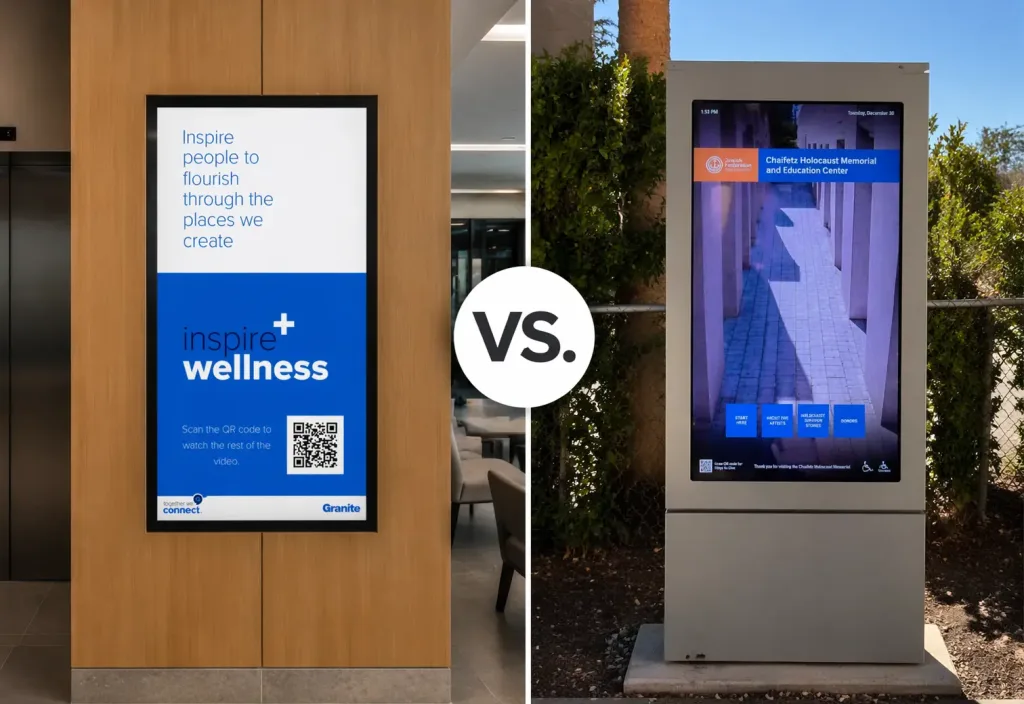
7 Key Decisions to Select Between Interactive vs. Non-Interactive Signage
Walking into a modern commercial space usually means encountering sleek digital screens displaying directories, advertisements, or building announcements. These displays instantly elevate the environment. They guide visitors, communicate critical updates, and reinforce your brand presence.
If you’re planning a technology upgrade, one key question quickly surfaces: Should your signage invite interaction or simply deliver information?
The answer depends on your building’s goals, layout, and budget. Choosing correctly improves visitor experience and operational efficiency. Getting it wrong leads to frustration, underuse, and wasted investment.
This guide breaks down exactly how to decide between interactive vs. non-interactive digital signage and when each works best.
1. Start Here: What Are the Two Types of Digital Signage?
Before you can choose the right setup, you need to understand the fundamental types of digital signage available on the market. Both categories serve distinct purposes and offer unique advantages.
A.) Non-Interactive Displays (Passive Digital Signage):
Passive digital signage refers to screens that display information without requiring viewer input. These non-interactive digital displays run on a continuous loop or a scheduled playlist.
You’ll see them typically used for:
- Digital menu boards
- Transit schedules
- Corporate communications
- Promotional advertising
Best for: Broadcasting messages to large audiences at scale.
B.) Interactive Displays (Touchscreens and Digital Kiosks):
Interactive screens require active user participation. These systems use touchscreens, motion sensors, or QR codes to let visitors control what they see. Whether someone is using a digital directory to find a specific suite or browsing a retail catalog, interactive technology provides a highly personalized experience.
Common use cases include:
- Building directories
- Wayfinding maps
- Retail browsing
- Campus navigation
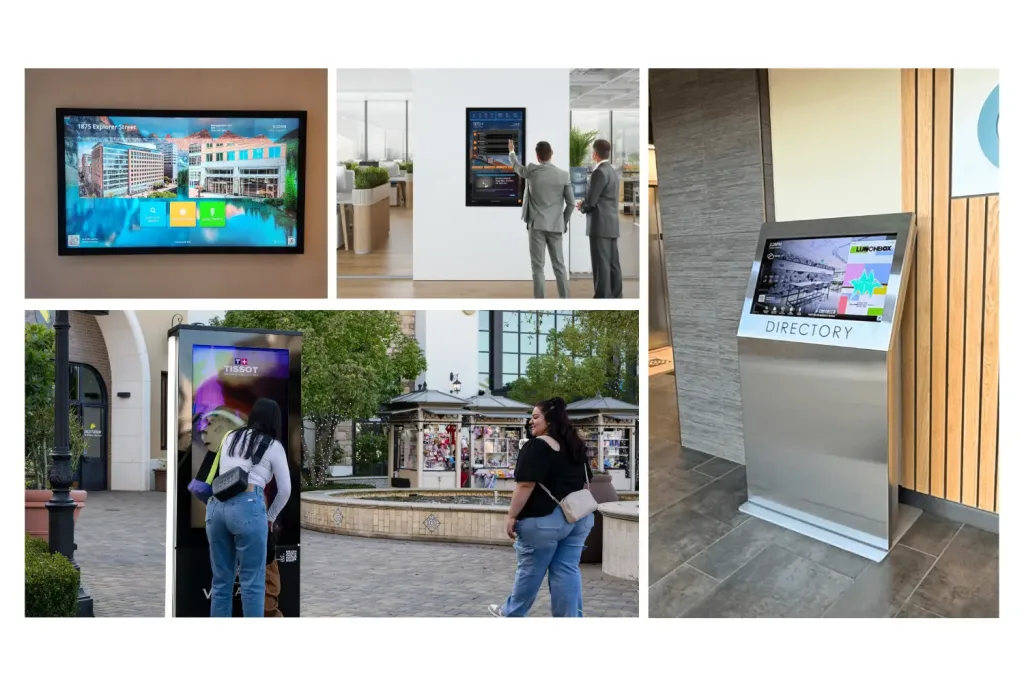
Interactive touchscreen displays in various commercial settings
2. How Do You Want Visitors to Engage?
The debate of interactive vs non-interactive signage usually comes down to how you want visitors to behave. Non-interactive screens act as digital billboards. They grab attention and deliver a predefined message to anyone walking by. Viewers consume the information passively and move on. Interactive signage completely changes that dynamic. It invites users to stop, touch, and explore. This engagement creates a two-way conversation between your facility and your guest. Visitors can search for specific names, pull up transit maps, or request directions directly to their mobile phones. This functionality dramatically increases the time visitors spend engaging with your brand.
3. Where Will the Screens Live? Ideal Environments and Use Cases
Different spaces demand different solutions. Recognizing the most common interactive signage use cases can help you determine what will work best for your property.
Passive, non-interactive signage works best in:
High-traffic, fast-moving environments where speed matters and people are constantly on the move:
- Airport terminals
- Elevator banks
- Waiting areas
- Drive-thrus
Goal: The goal here is rapid information delivery. You want viewers to glance at the screen, get the information they need, and keep walking.
Interactive screens work best in:
Spaces where visitors need specific, customized help completing a task:
- Office building lobbies
- Large hospital campuses
- Sprawling shopping malls
Key advantage: Acts as a digital concierge. If a visitor needs detailed directions to a specific clinic inside a massive hospital, an interactive map is far more useful than a static list of departments.
4. Space and Installation: What Your Building Can Support
Your physical environment plays a major role in choosing the type of digital signage. Passive screens offer tremendous flexibility in placement. You can mount them high on a wall, suspend them from a ceiling, or place them behind a reception desk. Because users do not need to reach these screens, you can install them safely out of the way. Interactive kiosks and touchscreens have strict physical requirements. You must install them at an accessible height, ensuring compliance with ADA regulations. They also require dedicated floor space. Visitors need room to stand in front of the screen without blocking the main flow of foot traffic. Furthermore, interactive setups often require hardwired internet connections to process real-time database searches quickly.
5. Content Strategy: Simple Messaging vs. Designed Experiences
Managing your digital network requires ongoing effort. Non-interactive screens generally feature simpler content management workflows. You can upload videos, slideshows, or static graphics to a cloud-based content management system (CMS) and schedule them to play. The content strategy focuses purely on visual appeal and clear messaging. Interactive systems demand a more complex approach to content. You are not just uploading graphics; you are designing user interfaces. Menus must be intuitive. Buttons need to be large enough to tap easily. The software must quickly pull data from directories or mapping databases. While this requires more upfront planning, a strong CMS makes it easy to update directories and maps as your building’s tenants change.
6. Cost vs. ROI: Where Do You Want the Payoff?
Budget considerations always factor heavily into technology decisions. Non-interactive displays generally carry a lower initial price tag. The hardware costs less, and the software licenses are typically cheaper. If you need to deploy hundreds of screens across a large campus to show announcements, passive signage is a highly cost-effective choice. Interactive technology requires a larger initial investment due to the advanced touch hardware and specialized software. However, the return on investment (ROI) often justifies the cost. Interactive kiosks can reduce the need for full-time reception staff by handling common visitor inquiries. They also provide valuable analytics. You can track exactly what visitors search for, giving you data to improve your facility’s layout or tenant services.

7. Maintenance and Longevity: What Will It Take to Sustain?
Both types of signage are built for commercial use, but they experience different levels of wear and tear. Passive screens mounted high on walls rarely suffer from physical damage. As long as they have proper ventilation and surge protection, they can operate continuously for years with minimal physical maintenance. Interactive screens face daily physical contact. Viewers tap, swipe, and sometimes bump into these displays. Because of this, interactive kiosks feature tempered glass and rugged enclosures. They require more frequent cleaning to remove fingerprints and smudges. You must also factor in routine software updates to ensure the touch interface remains responsive and secure.
How to Choose the Right Digital Signage for Your Property
Deciding between interactive and non-interactive signage need not be an overwhelming process. The right choice depends entirely on your visitors’ needs and your facility’s layout. Sometimes, a blended approach works best. Use passive screens in the elevators for corporate news and place interactive directories in the main lobby. If you are ready to upgrade your visitor experience, TouchSource is here to help. We provide industry-leading digital directories, interactive kiosks, and passive communication screens tailored to your exact requirements. Our team of experts will guide you through the entire process, from selecting the right hardware to designing a beautiful, user-friendly interface. Contact us today to discover how our digital signage solutions can transform your space.