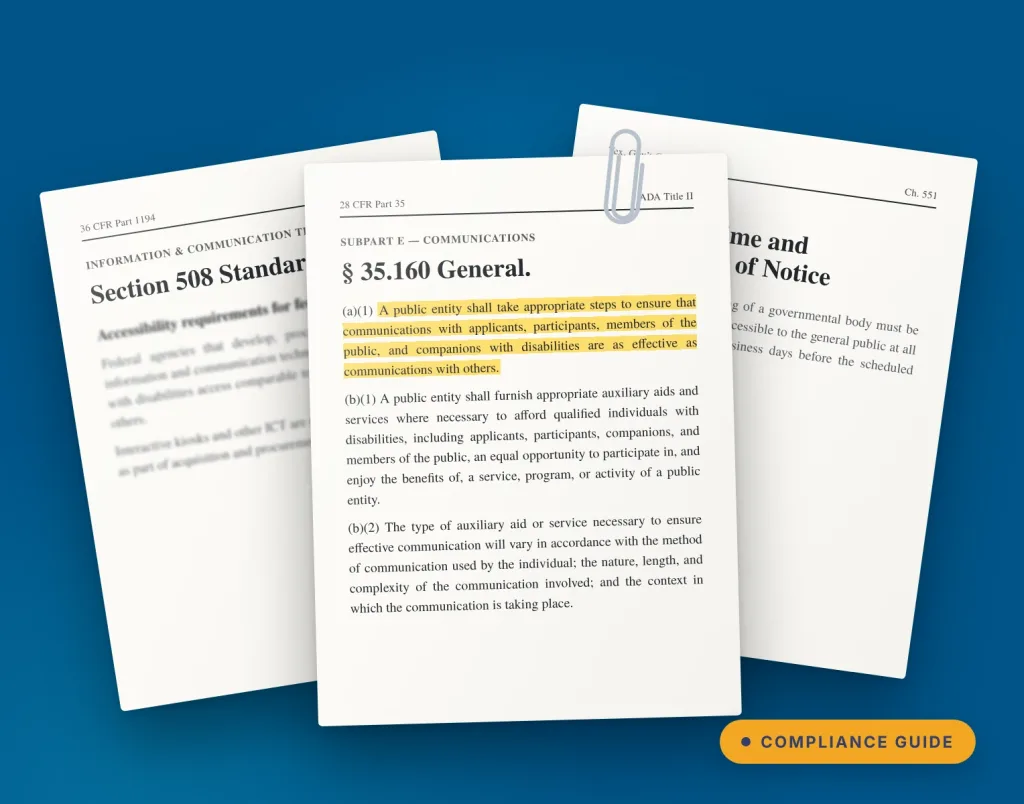
Government buildings have a communication job most properties don’t. City halls, courthouses, federal offices, libraries and municipal complexes have to help citizens find their way, follow what’s happening on the property (to the minute) and know what to do when schedules change.
Some of that communication is simply helpful. Some of it is required.
That’s where government digital signage requirements come in. Digital directories, whether wall-mounted, recessed or freestanding, interactive wayfinding and public information displays can turn required communication into information people can actually see, find and use, while giving facilities teams one place to keep it current.
To be clear up front: digital signage doesn’t make a facility compliant with any law on its own, and it doesn’t replace required postings or accommodations. It’s one part of a broader accessibility and public communication strategy. Here are six areas where it can help close gaps.
1. ADA Title II: accessible communication in state and local government buildings
Under ADA Title II, state and local governments must communicate effectively with people who have vision, hearing or speech disabilities, as effectively as with everyone else. The Department of Justice lists accessible electronic information, captioning and large print among the tools that support it.
The timing matters. DOJ’s Title II web and mobile accessibility rule requires state and local government websites and mobile apps to meet WCAG 2.1 AA. In April 2026, DOJ extended the compliance dates to April 2027 for entities serving 50,000 or more people and April 2028 for smaller entities and special districts. Physical directories and kiosks aren’t named in that rule, but if your directory has a web or mobile version, review it against the same standard.
How digital signage can help
- Clear, high-contrast text sized for reading at a distance, which includes meeting high color contrast ratios (at least 4.5:1 for body text)
- Captioned video and visual versions of audio announcements
- Accessible digital directories and interactive wayfinding
- Wall-mounted or recessed directories that keep hallways and walkways clear
- More than one way to find the same facility information
If a hearing moves rooms, a courthouse doesn’t have to rely solely on an overhead announcement. Displays can show the change and point visitors to the new room. Property staff can manage this in a few clicks of a button.
Are touchscreen directories and kiosks ADA compliant?
A touchscreen directory or kiosk can meet ADA requirements when it’s specified and installed for them. Under the 2010 ADA Standards for Accessible Design, interactive controls should sit within the unobstructed reach range: no higher than 48 inches and no lower than 15 inches above the floor, and operable with one hand without tight grasping.
Wall-mounted directories have one more rule to plan for: anything mounted between 27 and 80 inches above the floor can protrude no more than 4 inches into a walkway, under §307.2 of the 2010 ADA Standards. Recessed directories sit flush with the wall, which keeps corridors clear for visitors who are blind or have low vision.
Our ADA and digital signage compliance guide covers mounting height, clear floor space and screen design in detail.
2. Section 508: accessibility for federal technology purchases
Federal agencies have a second accessibility requirement to plan for. Section 508 of the Rehabilitation Act applies when they develop, procure, maintain or use information and communication technology (ICT), and it requires comparable access for people with disabilities. An interactive wall-mounted directory or kiosk can fall under that review during procurement.
What to evaluate
- Touchscreen interface accessibility
- Placement and reach of interactive controls
- Alternative ways to get the same information
- Accessibility of the content shown on the system
Accessibility works best when it’s part of the spec, not added as an after thought after installation.
Buyer checklist
What should agencies look for in government digital signage?
Beyond the requirement itself, look for a solution that's:
- ✓ Accessible by design: supports accessible visitor experiences and wayfinding
- ✓ Always current: updates without replacing printed signs
- ✓ Centrally managed: one place for authorized staff to control content
- ✓ IT-friendly: fits the facility's connectivity and IT policies
- ✓ Built to scale: grows from one lobby display to multiple buildings
- ✓ Supported long term: backed by help after installation
TouchSource brings commercial-grade hardware, software, design and support together, so agencies don't assemble each piece themselves.
Planning a project? Explore digital signage for government →
3. GSA Missing Child Notice Program: keeping required notices visible
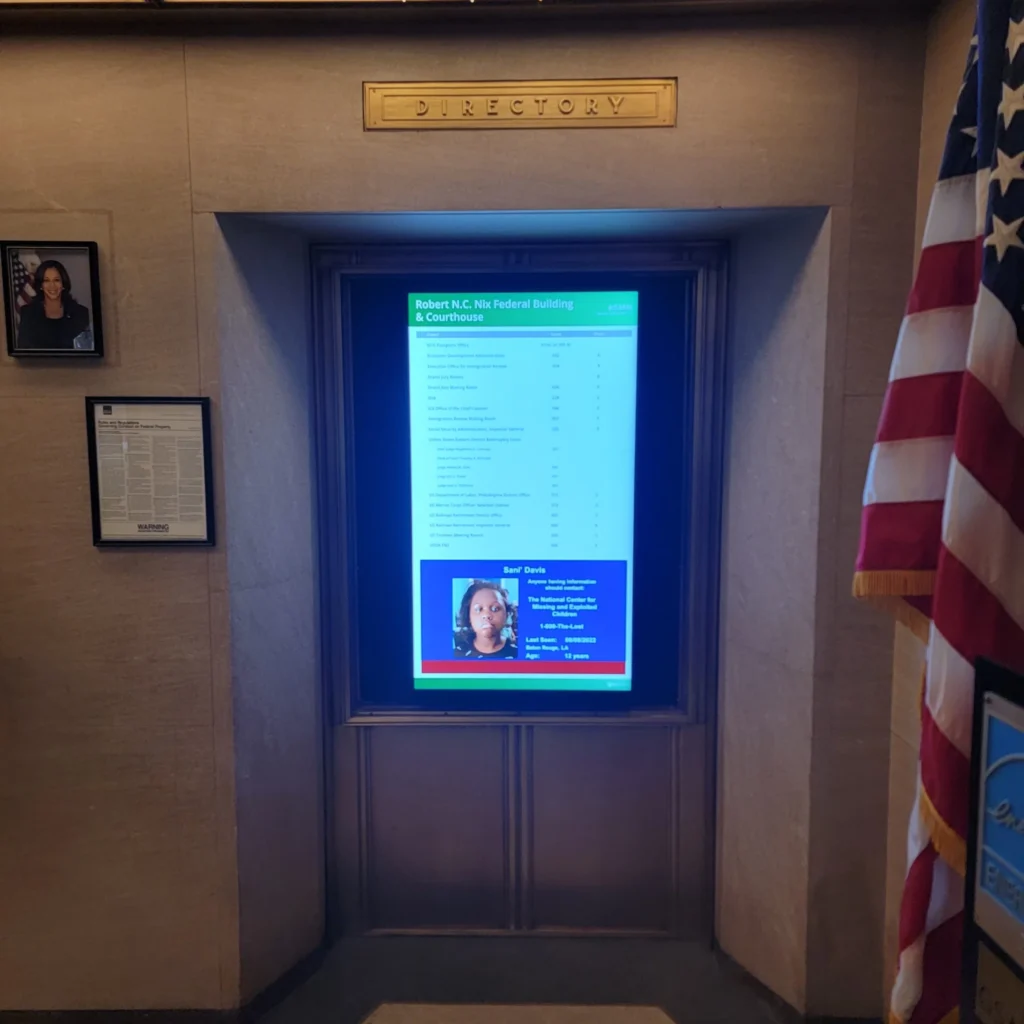
Some posting requirements are very specific. Under GSA’s Missing Child Notice Program, executive agencies must post missing-child notices in public areas per a presidential memorandum, at minimum the National Center for Missing & Exploited Children’s QR-code poster. For leased facilities, GSA recommends public areas with maximum exposure, limited to one location per building.
How digital signage can help
A display in a high-traffic lobby is a natural home for prominent public notices alongside other approved information. Central management lets teams add, update and remove time-sensitive notices across buildings without swapping paper.
The value isn’t digitizing a poster. It’s making important information easier to manage and harder to miss. And for GSA properties, digital signage makes it easy to fulfill Missing Child Notice Program requirements.
4. Open meeting and public notice laws: posting agendas people can actually see
Open meeting or “sunshine” laws vary by jurisdiction, but most require agencies to post meeting notices and agendas where the public can find them. In California, the Ralph M. Brown Act and the Bagley-Keene Open Meeting Act set notice and agenda rules for local and state bodies.
Texas raised the bar in 2025. Under House Bill 1522, governmental bodies must post notice at least three business days before a meeting, in a place readily accessible to the general public at all times. When a meeting covers a budget, the notice must also include a taxpayer impact statement showing how the proposed budget would change the property tax bill on a median-valued homestead.
That “at all times” requirement is why so many city halls still tape paper to a window.
How digital signage can help
Picture a screen in that window instead.
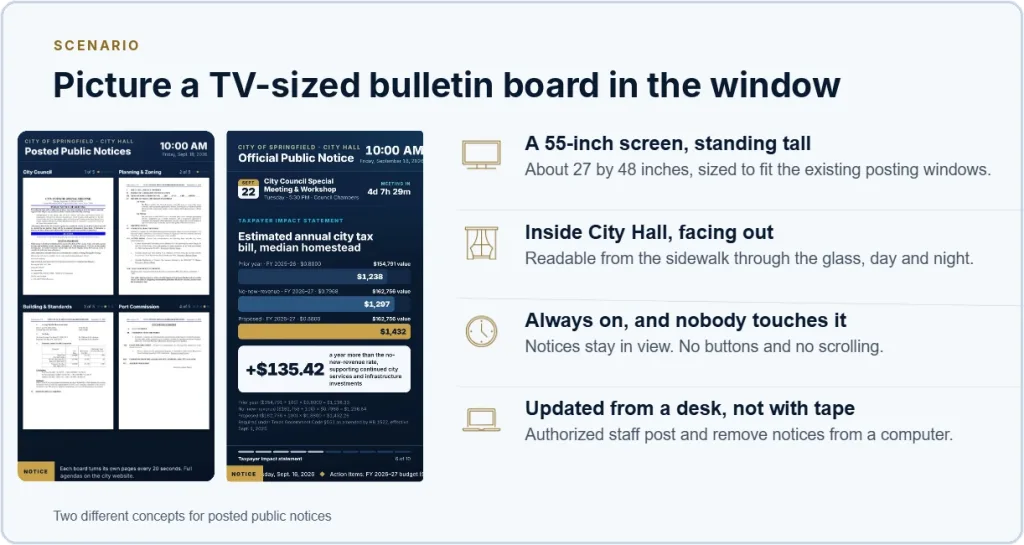
A display mounted inside city hall and facing out keeps notices readable from the sidewalk, day and night, even after the building closes. Staff post and remove notices from a computer, so meeting a three-day posting window doesn’t depend on someone remembering the tape. A board like this can also show what paper can’t: a countdown to the meeting, a budget’s tax impact in plain numbers, and a QR code to the full agenda.
Inside, the same content can feed lobby displays and an interactive directory that points visitors to Council Chambers, so they don’t have to stop at the front desk.
Signage doesn’t replace any legally required method of posting a notice. It adds a visible way to find information the agency is already making public, and it cuts down the where-and-when questions at security and reception.
5. FEMA IPAWS: emergency communication digital signage inside government buildings
FEMA’s Integrated Public Alert & Warning System (IPAWS) sends authenticated emergency information through Wireless Emergency Alerts, the Emergency Alert System, NOAA Weather Radio and other pathways. FEMA stresses multiple pathways because each one raises the odds a warning reaches people.
How digital signage can help
With the right integrations in place, everyday displays can switch to:
- Severe weather alerts
- Evacuation or shelter-in-place instructions
- Security messages and building closures
- Directions to exits or safe areas
The directory that helps someone find Room 204 at 10 a.m. can help guide them to an exit during an emergency, depending on the facility’s alert infrastructure. Signage should add a layer to the emergency plan, not replace existing alert systems. Our fire and life safety guide covers building emergency communication in more depth.
6. Language access: multilingual digital displays for diverse communities
Federal language access rules have changed. Executive Order 14224, signed in March 2025, revoked Executive Order 13166, which had directed federal agencies to serve people with limited English proficiency. The new order doesn’t require agencies to stop offering services or documents in other languages, and many state and local governments keep their own language access policies.
How digital signage can help
On an interactive kiosk, a visitor can pick a language and get office directories, department locations, wayfinding directions, service information and public notices in it. That makes an unfamiliar building easier to navigate from the front door.
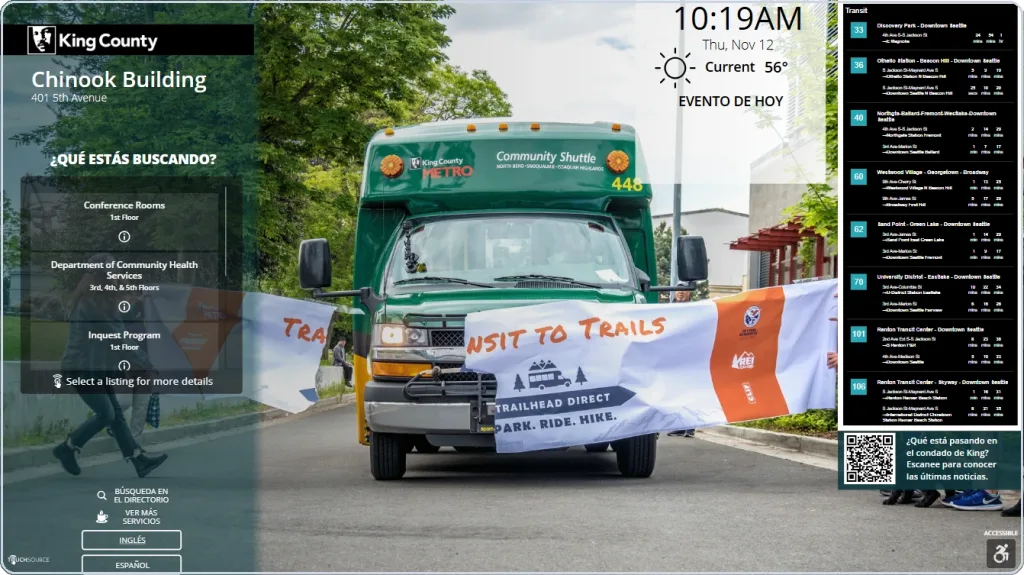
A TouchSource directory at King County’s Chinook Building, shown here in Spanish. Visitors can switch languages, find departments and check real-time transit arrivals.
Why government agencies choose TouchSource
TouchSource provides turnkey digital signage, interactive directories and wayfinding for public facilities, from planning and design through installation and ongoing support.
- Accessible experiences: directories, wayfinding and clear visitor information
- Government purchasing: GSA Multiple Award Schedule contract covering hardware, software and maintenance
- Flexible connectivity: private cellular and hardwired options where facility Wi-Fi isn’t the right fit
- One partner: commercial-grade hardware, software, design and support, updated remotely by your team
Digital signage that does more for government buildings
The best government buildings remove uncertainty. One screen helps someone find a meeting. Another keeps a required notice in view. A touchscreen gives directions in a visitor’s own language. And the whole network stays accurate without updating signs one by one.
See how TouchSource can help you build a more connected, navigable government facility. Talk to TouchSource about your facility

Frequently asked questions
Quick answers on government digital signage requirements.
What are the requirements for digital signage in government buildings?
No single law governs government digital signage. Agencies typically plan around ADA Title II, Section 508 for federal purchases, posting programs like GSA's Missing Child Notice, open meeting laws, emergency communication and language access.
Does digital signage make a government building ADA compliant?
No, not by itself. It supports an agency's broader accessibility strategy through accessible directories, clear visual information and wayfinding, but it doesn't replace required accommodations.
What height should an ADA compliant touchscreen kiosk be?
Interactive controls should fall between 15 and 48 inches above the floor under the 2010 ADA Standards. See our ADA and digital signage compliance guide for full specs.
Does Section 508 apply to government digital signage?
It can. Section 508 applies when federal agencies procure ICT, which can include interactive directories and kiosks, so accessibility should be part of the spec from the start.
Can digital signage display public meeting agendas?
Yes. Displays can point visitors to meetings, hearings, agendas and QR-linked documents. They supplement, not replace, legally required notice postings.
Can government digital signage support multiple languages?
Yes, when the solution is configured for it. Interactive kiosks can offer directories, wayfinding and public information in a visitor's chosen language.
Who makes digital directories for government buildings?
TouchSource has built digital directories, wayfinding and kiosks since 1985 and holds a GSA Multiple Award Schedule contract for government purchasing.
How do agencies start planning a government digital signage project?
Start with what visitors need to find or do. Then map where communication breaks down, accessibility and language needs, IT requirements, display locations, purchasing rules and your budget cycle.