
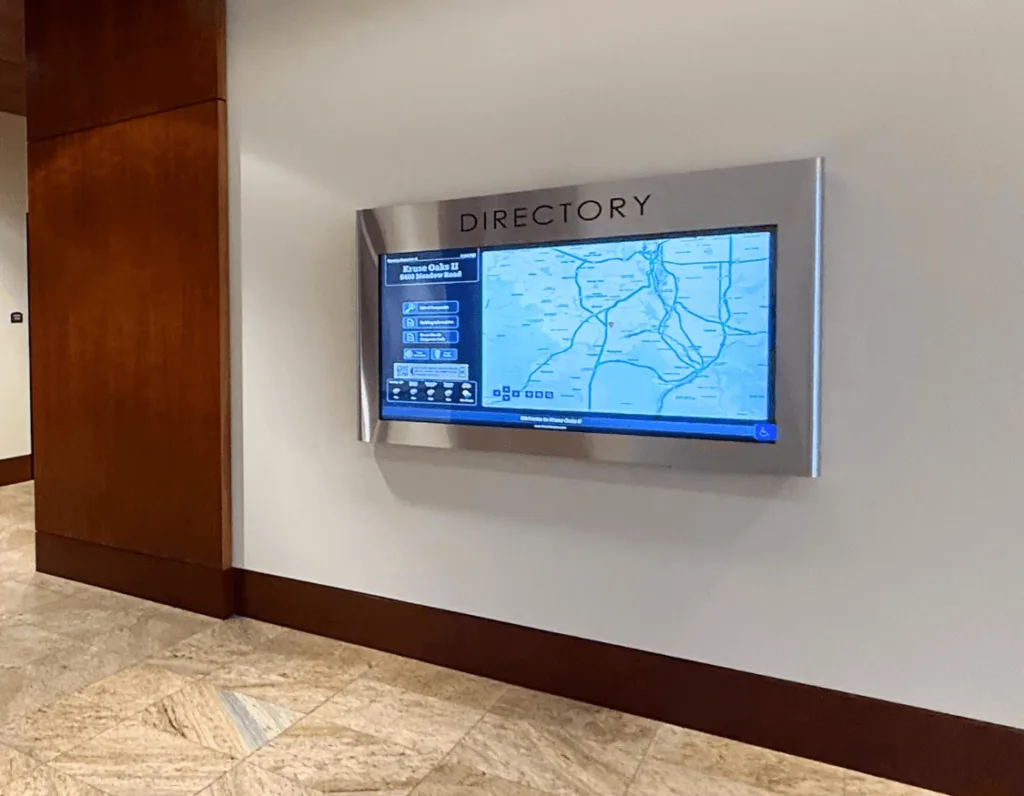
Digital signage has evolved from simple static displays into sophisticated networks. Whether you’re a small commercial property looking for a basic directory, or a large corporation managing hundreds of locations, the success of your communication strategy to tenants and visitors hinges on effective management. This digital signage management guide will walk you through the essential components of overseeing a display network, from initial content creation to advanced administrative workflows.
What Digital Signage Management Involves
Digital signage management is the comprehensive process of overseeing the hardware, software, and content that make up a digital display network. It goes beyond throwing an image on the screen to involve the strategic planning of what message appears where, when it appears, and ensuring the technical infrastructure remains stable. Effective digital signage management ensures that your screens remain a valuable asset rather than a technical burden.
Core Components of Digital Signage Management
To manage a network effectively, it’s important to understand the four pillars of the ecosystem. The core components of digital sign management include:
- Hardware – This includes the physical display screens and the media players that process and power the visual output.
- Content Management System (CMS) – The central software platform used to upload, design, schedule, and organize your media assets.
- Connectivity – The essential network infrastructure, such as Wi-Fi, Ethernet, or LTE, that enables communication between the CMS and the media players.
- Administration – The oversight of user permissions, security protocols, and system health monitoring to ensure the network remains secure and operational.
How to Schedule Content Effectively
Mastering signage content scheduling is essential to maintaining a fresh, relevant display that resonates with your audience throughout the day. To optimize your workflow, consider the following strategies:
- Utilize the Playlist Model – Organize your assets, including videos, static images, and live data feeds, into cohesive playlists to simplify management and deployment.
- Implement Dayparting – Apply specific scheduling rules to rotate content based on the time of day, ensuring your messaging aligns with the shifting needs of morning, afternoon, and evening viewers.
- Leverage Priority Interrupts – Use advanced scheduling workflows to set up override triggers, allowing emergency alerts or time-sensitive announcements to bypass the standard loop instantly.
- Automate Content Expiration – Set start and end dates for seasonal promotions or temporary notices to ensure your screens never display outdated information.
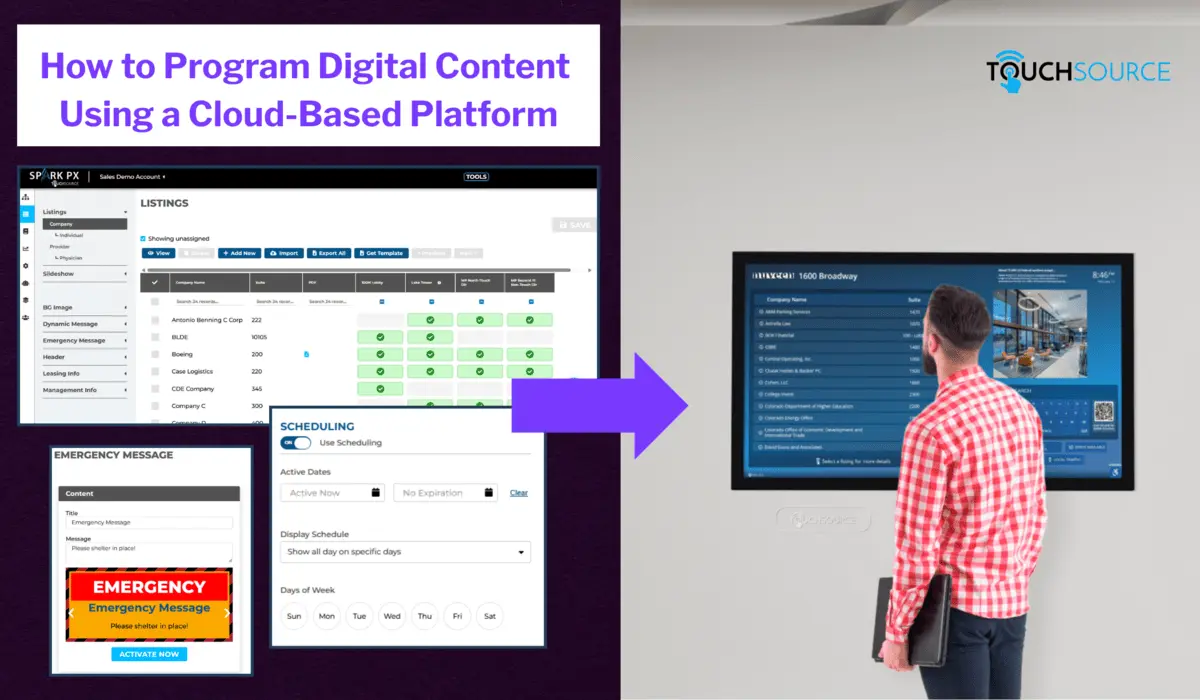
Easy-to-use content library, scheduling and emergency alert features that run TouchSource digital signage.
Managing Digital Signage at Scale
Managing digital signage at scale requires a shift from individual screen management to a group-based philosophy. When dealing with hundreds or thousands of displays, you should utilize tagging and grouping. By tagging screens with attributes like “Location: Lobby” or “Region: North,” you can push content to an entire category of displays with a single click. Centralized display network management tools also allow for “multi-tenant” setups, where local managers can update their specific screens while the head office maintains control over global branding and mandatory announcements.
Common Digital Signage Management Challenges
Even the most robust systems face hurdles that can undermine your network’s effectiveness. Here are some of the most frequent obstacles:
- Hardware Failures and “Black Screens” – Constant risks often caused by poor internet connectivity, power fluctuations, or aging media players that can lead to embarrassing downtime.
- Content Fatigue – If the same loop runs for months without updates, the audience will eventually stop looking at the screens, rendering the communication ineffective.
- Administrative Complexity – Balancing security needs with the desire to provide multiple team members access to the CMS can be difficult.
- Human Error and Brand Integrity – Overly complex access levels often lead to accidental deletions or the publication of off-brand content that doesn’t align with company standards.
Best Practices for Successful Signage Management
We’re always here to offer tips for successful signage management. To ensure your network thrives, follow these signage content best practices:
- Automate Where Possible – Use RSS feeds, social media integrations, and weather widgets to keep content moving without manual intervention.
- Monitor System Health – Set up automated email alerts to notify you the moment a player goes offline.
- Maintain Brand Consistency – Use templates within your CMS to ensure that even non-designers can create content that fits your organization’s visual identity.
- Audit Regularly – Periodically review your playlists to remove expired content and ensure the messaging still aligns with your organizational goals.
What Digital Directories Are Easiest to Manage for Facility Teams?
We want to make it as easy as possible for your employees to manage our digital directories. The easiest digital directories for facility teams are cloud-managed systems that allow authorized users to update listings, messages, images, schedules, and maps from a secure online portal. Facility teams should not need to call a vendor for every small digital or manual update or routinely replace printed signs throughout the building.
TouchSource digital directories are designed for simple upkeep. Teams can manage tenant listings, building announcements, slideshow content, weather, news, emergency messages, and other information remotely. For multi-display or multi-building properties, the right software package can also help manage content across a network of displays from one dashboard.
How to Measure Digital Signage Success
Evaluating the effectiveness of your digital signage network is a streamlined process when focusing on key performance indicators. By monitoring engagement levels, you can determine which specific assets successfully capture attention and drive viewer interaction. Utilizing built-in analytics tools provides actionable insights into content update frequencies, dwell times, and the conversion rates of your calls to action, allowing for data-driven optimizations to your overall strategy.
Digitizing Recognition Walls
TouchSource can help digitize recognition walls. Our displays and software can showcase honorees, photos, bios, achievements, videos, announcements, and other branded content in a modern digital format. Depending on the experience you want, we can support a static display, interactive touchscreen experience, or larger-format digital wall. Our team can help you determine the best layout, screen size, and software package based on the number of honorees, content types, and space available.
Why Choose TouchSource for Digital Signage?
Choosing TouchSource means investing in a platform that prioritizes seamless integration and user-centric design. Beyond sophisticated scheduling and automated content management, TouchSource provides a robust infrastructure designed for reliability and ease of use in high-traffic environments. Whether you’re managing a single directory or a nationwide network of digital displays, our company offers the scalability and professional support necessary to keep your audience informed and your brand elevated.
Frequently Asked Questions
How Does TouchSource’s Digital Signage Software Work?
TouchSource’s Spark PX™ platform works by connecting all of your digital displays via a centralized cloud dashboard, where you can manage content, listings, and messaging from any web browser.
How Do You Update Content on Digital Displays?
You update content on digital displays by logging into the Spark PX web portal from any device with a browser. From there, you can change tenant listings, swap graphics, post announcements, or push emergency messaging across all screens simultaneously.
What Makes It Hard to Manage Visitor Information Without Digital Directories?
Without digital directories, visitor information is often spread across printed signs, static wall directories, spreadsheets, paper notices and posters, front desk instructions, and outdated maps. That creates problems when tenants move or new leases begin, departments change, office hours shift, events occur, or building information needs to be updated quickly. Digital directories solve this by centralizing visitor information in one easy-to-update system. Property teams can update listings, announcements, maps, and messages remotely, while visitors get a more current and professional experience.
Can You Manage Multiple Properties from One Platform?
Yes. Spark PX™ is built for multi-site management, allowing property teams to control displays across multiple buildings, campuses, or regions from a single dashboard. Multi-site, multi-user, and multi-screen management are all core features of the platform.
Contact TouchSource Today
TouchSource understands that effective digital signage management is the bridge between having a screen on a wall and having a powerful communication tool. You can turn your display network into an engine for engagement by mastering the core components of scheduling, administration, and scaling. For more insights on optimizing your network, contact our team of experts to find the right digital display management tools for your needs.